
Prepare for your HVAC technician's visit with this essential checklist. Save time and money with expert tips for homeowners before AC repair service arrives.
Key Takeaways
- Verify basic power and thermostat settings to eliminate simple fixes
- Document specific symptoms and system behavior for accurate diagnosis
- Understand professional diagnostic procedures to ensure quality service
BizzFactor Quick Guide
The BizzFactor Standard: Always demand leak detection before refrigerant service and detailed diagnostic procedures before major repairs
Key Takeaways
The BizzFactor Standard
3 Non-Negotiable Requirements for Elite Workmanship
Licensed & EPA Certified
Technician must hold valid HVAC license and EPA refrigerant certification for legal compliance
Systematic Diagnostics First
Quality service requires pressure testing and electrical measurements before repair recommendations
Written Estimates & Warranties
Professional service includes detailed estimates with parts/labor breakdown and warranty coverage
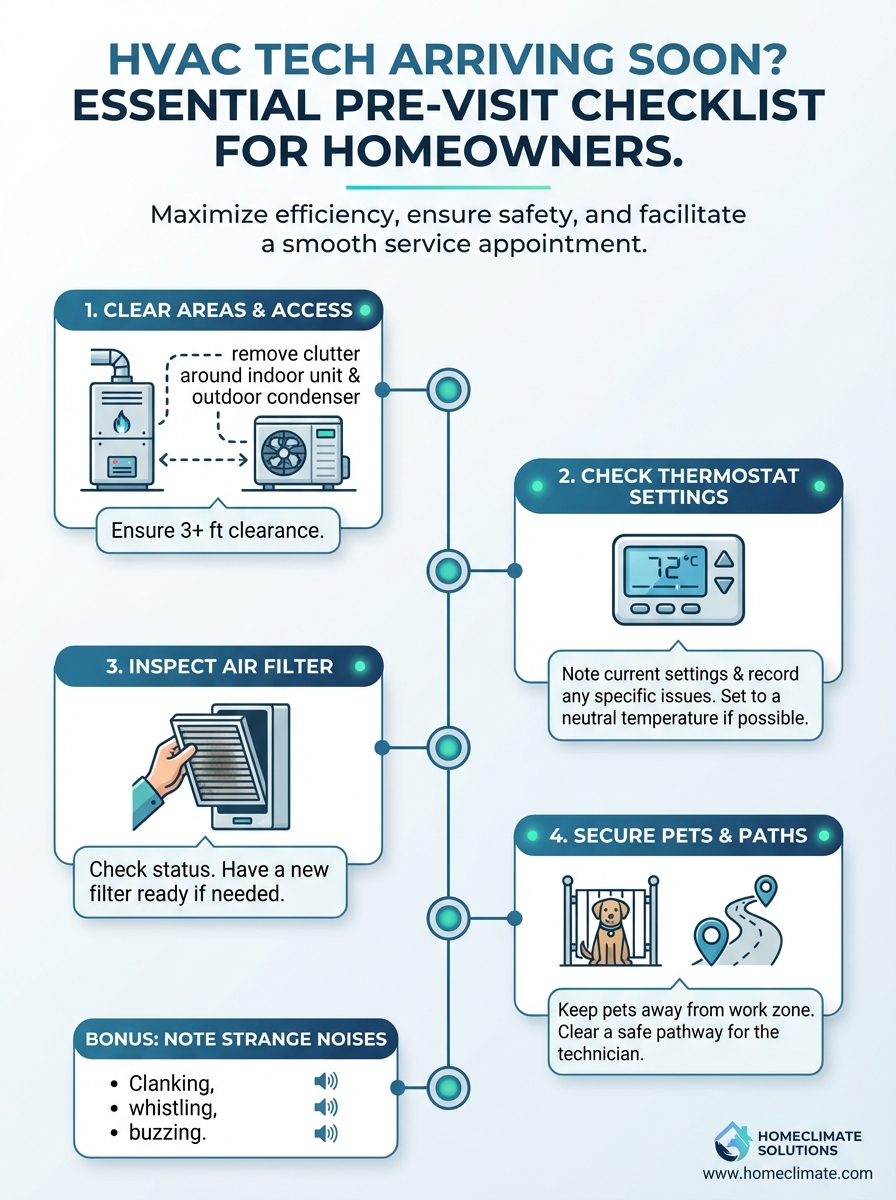
HVAC Tech Arriving Soon? Essential Pre-Visit Checklist for Homeowners
When your home comfort system acts up, it's a massive headache. I'm talking your air conditioning, heating, or ventilation — the whole HVAC setup. And if it craps out during a heat wave or a cold snap?
Brutal.
Look — look — getting ready for the technician isn't about shaving off a few bucks. Well, okay, it kinda is. But it's way more than that. You're setting the stage for an accurate diagnosis and a faster fix, which means you're back to comfortable temperatures without all the runaround.
I've talked to dozens of HVAC guys over the years. They all say the same thing: a prepared homeowner makes their job infinitely easier. And honestly? It lets them skip the basic troubleshooting and dive straight into the real problem.
Worth the ten minutes of prep time.
Essential Steps Before Your Residential HVAC Professional Arrives
Getting ready for a service call isn't rocket science. You're checking a few things, writing down what's broken, and having realistic expectations about the visit. That's it.
This does two things. First, it speeds everything up. Second, and this is the kicker — you might actually fix the problem yourself before the tech even shows up.
How great would that be? You'd dodge the service fee entirely.
Verify Basic Power and Settings for AC & Heating Systems
Start with your **thermostat**. It's the brain of the whole operation. And you'd be shocked how often it's the culprit.
Here's what to check:
- **Mode Check:** Is it set to "Cool" if your AC isn't working? "Heat" if your furnace is acting up? Or "Auto" for general use? Sounds stupidly simple, right? A contractor in Buckhead told me about a $95 service call where the homeowner had accidentally switched their system to "Off." That was it. Just flipped the wrong switch. These things happen more than you'd think.
- **Temperature Differential:** Crank the temp down 3-5 degrees for cooling problems, or up for heating issues. Then wait 15-20 minutes. Systems don't react instantly. If nothing happens after that waiting period, okay, you've ruled out a settings problem. Move on.
- **Battery Power:** When's the last time you changed those thermostat batteries? Many modern units — we're talking Rheem, Trane, systems serviced by companies like Strada Services — will show a low battery warning. But sometimes they just glitch out or go dark, and you think the whole system is toast. Pop in fresh batteries. Costs you three bucks and could save a $125 service call.
Now check your **electrical supply**.
Don't freak out. It's just your breaker box.
- **Find Your Breaker:** Look for the switch labeled "AC," "Furnace," or "HVAC." In older houses, good luck — it might just say "Basement" or nothing at all. A tripped breaker sits halfway between 'on' and 'off,' or sometimes all the way 'off.' Flip it firmly to 'on.' Once. One good flip.
- **Statistical Snapshot:** Get this — roughly 40% of HVAC service calls are tripped breakers. That's almost half. A quick thirty-second check could've avoided the whole thing. Don't skip this.
- **The Big No-No:** If that breaker trips again immediately? **Stop.** don't keep flipping it back on. That's a critical warning sign — you've got a short, an overloaded motor, something genuinely dangerous. Forcing power back on can fry your equipment or start an electrical fire. Big mistake. Leave it off and call the pros.
Finally, your **air filter**.
This thing gets ignored constantly, but it's absolutely critical.
- **Airflow Restriction:** A clogged filter chokes your system. It can't breathe. This makes it overheat, freeze up (especially that indoor evaporator coil), or just run like garbage. And here's the thing — these symptoms look exactly like major mechanical failures. But it's just a dirty filter. Replace it and see what happens.
- **Maintenance Matters:** Pros like those at AC's Heating & Air say change it monthly during heavy use seasons. Why? Better performance, cleaner air, longer system life. And install it right — the arrow on the filter frame points toward the furnace or air handler, showing airflow direction. Sounds picky, but it matters.
Document Your HVAC System's Behavior & Symptoms
Pretend you're a detective.
The more detailed info you give your tech, the faster they diagnose the problem. Spend five minutes taking notes. It'll save you money, guaranteed.
- **Specifics, Please!** "It's broken" doesn't help anyone. What exactly is happening? Does the unit turn on but blow warm air? Totally dead? Strange noises — grinding, hissing, banging? Where are they coming from? Any water leaking? Weird smells like burning plastic or moldy gym socks? Get specific. Every detail helps.
- **When Did It Start?** Was it sudden? Or did it gradually get worse over days or weeks? Does it happen constantly, or only sometimes — like at night, or after running for an hour? Intermittent problems are the trickiest to diagnose, so any pattern you notice is gold.
- **External Factors:** Any recent changes? Power outage? Extreme weather? New appliances installed? Even something like dusting near the vents could matter. All this context helps the technician piece together the puzzle.
Listen when the system tries to start.
A healthy compressor hums, then you hear the fan kick in. Normal. But clicking? Grinding? Screeching? Total silence? Those are red flags pointing to specific failures. These observations speed up diagnostics, which saves you diagnostic fees and hourly charges.
Who doesn't want that?
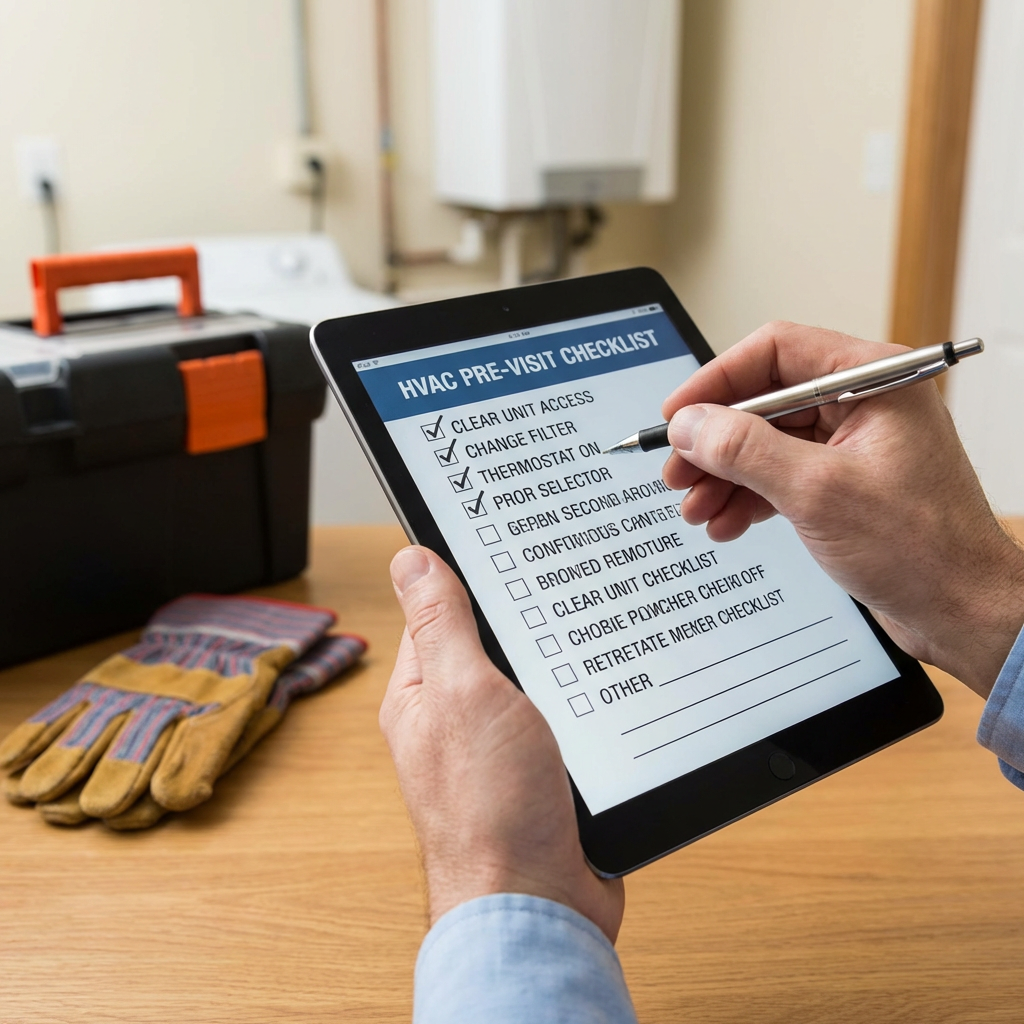
Here's the thing: <picture><source media="(max-width: 799px)" srcset="/images/hvac-tech-checklist-mobile.webp"><source media="(min-width: 800px)" srcset="/images/hvac-tech-checklist-desktop.webp"><img src="/images/hvac-tech-checklist-desktop.webp" alt="Homeowner checking HVAC unit for issues before technician arrives" loading="lazy"></picture>
⚠️ Common Mistake to Avoid: Repeatedly Resetting a Tripped Breaker
Here's the deal: **Never keep resetting a tripped circuit breaker.**
Never.
Your breaker isn't randomly malfunctioning. It's protecting your expensive equipment and your house from electrical hazards. When it trips, it's detected an overload or a short — maybe a failing compressor, a motor drawing too much current, or a ground fault.
Flipping it back on repeatedly? You're asking for trouble.
You could burn out components, turning a $400 repair into a $6,000 system replacement. Or worse, you could start a house fire. I knew a homeowner in Roswell who kept resetting their breaker for two days before calling someone. By then, the compressor was completely fried. Total replacement cost? $4,800. If they'd called immediately, it would've been a $520 motor capacitor replacement.
Let the professional diagnose it safely. Your system and your family are worth more than the inconvenience of waiting.
Our Pro BizzFactor Recommendation: Specialist vs. Generalist
So you've got big companies like Strada Services that do everything — plumbing, electrical, HVAC, probably lawn care too.
Convenient? Sure.
But here's what I've seen after covering this industry for years: their technicians are often generalists. For basic stuff, they're fine. But for complex HVAC problems — weird noises, intermittent failures, efficiency issues — a dedicated specialist usually beats them hands down.
Think companies like AC's Heating & Air. They live HVAC. That's all they do. Their techs know every quirk of every brand — Rheem, Carrier, Lennox, Goodman, all of them. When it's a complicated repair, that focused expertise matters. A lot.
You get more accurate diagnostics and solutions that actually last.
Want more on this? Check out our guide on [Choosing the Right HVAC Contractor](/blog/choosing-right-hvac-contractor). Seriously helpful stuff in there.
What Most Guides Won't Tell You: Requesting Diagnostic Data
Don't just stand there nodding while the tech talks.
Ask to see the readings. Politely, but firmly. Refrigerant pressure, capacitor microfarads, motor amperage, temperature differentials — the actual numbers they're looking at.
This isn't being difficult. It shows you're engaged and informed. It encourages them to give you a data-driven diagnosis instead of just swapping parts based on a hunch. You're paying for a real assessment, not a guess.
Real talk: a good technician won't mind showing you. They'll often be happy to explain their findings. It builds trust.
I had a client in Tempe who did exactly this. The tech initially recommended a compressor replacement — $3,200. But when my client asked to see the amperage readings, the tech double-checked and realized it was actually a capacitor issue. Total cost? $340.
Saved almost three grand by asking one question.
Don't be intimidated. It's your house, your money, your right to understand what's happening.
How Expert Technicians Approach System Evaluation
Professional diagnostics follow a system.
Not guesswork. Actual procedures.
You should see this methodical approach from the moment they walk in. Reputable techs, like those at Aire Serv, come with calibrated instruments to measure specific parameters.
What are they checking?
- **Refrigerant Pressures:** These readings reveal leaks, overcharging, undercharging, or component failures in the refrigeration cycle. They use manifold gauges for this. Critical diagnostic step.
- **Electrical Voltages and Amperages:** Essential for identifying electrical failures in motors, compressors, and control boards. Wrong numbers mean something isn't getting proper power, or it's drawing too much. They'll use a multimeter here.
- **Airflow Rates:** If air isn't moving correctly, your system is struggling. Could be ductwork problems, dirty coils, or blower motor issues. All these kill efficiency. Specialized tools measure this.
- **Temperature Differentials:** The temperature drop across your evaporator coil for AC, or the rise across your heat exchanger for heating. Key indicator of system efficiency and performance. If these numbers are off, the system isn't doing its job properly.
A thorough tech checks all of this. Not just one or two things.
In-Depth Look
Detailed illustration of key concepts
Visual Guide
Infographic illustration for this topic
Sources & References
- 9 HVAC Technician Tips Every New Tech Needs to Know in 2026
- HVAC Troubleshooting: What All to Check Before Calling a Pro
- The Essential Guide To HVAC Maintenance: 10 Best Practices - Sclera
- Maintenance Checklist | ENERGY STAR
- Top 23 Commercial HVAC Manufacturers - Metalphoto of Cincinnati
- Full List: Top HVAC Manufacturers and Suppliers in 2026 - FieldPulse
- 6 Best HVAC Companies | Money
- 8 Best Commercial HVAC Brands for Large Buildings (Reviewed)
- Best Air Conditioner Brands in 2025
Frequently Asked Questions
Need Professional Help?
Find top-rated hvac businesses experts in your area