Quick Answer
Okay, so here's the quick version. Your solar app's dead and not showing you the numbers. Nine times out of ten, it’s just your internet. First, check your home's internet connection. If it's working, then reboot your home's Wi-Fi router (or other network equipment if the inverter is hardwired). Just unplug it for a minute. If that doesn't work, go reboot the solar inverter itself using the manufacturer's shut-down procedure (usually involves turning off specific AC and DC disconnects). That fixes almost everything for free and takes 15-30 minutes. If that still doesn't do it, you might have a bad part or a real network problem, and you're looking at a $150-$350 service call for a pro to come out.
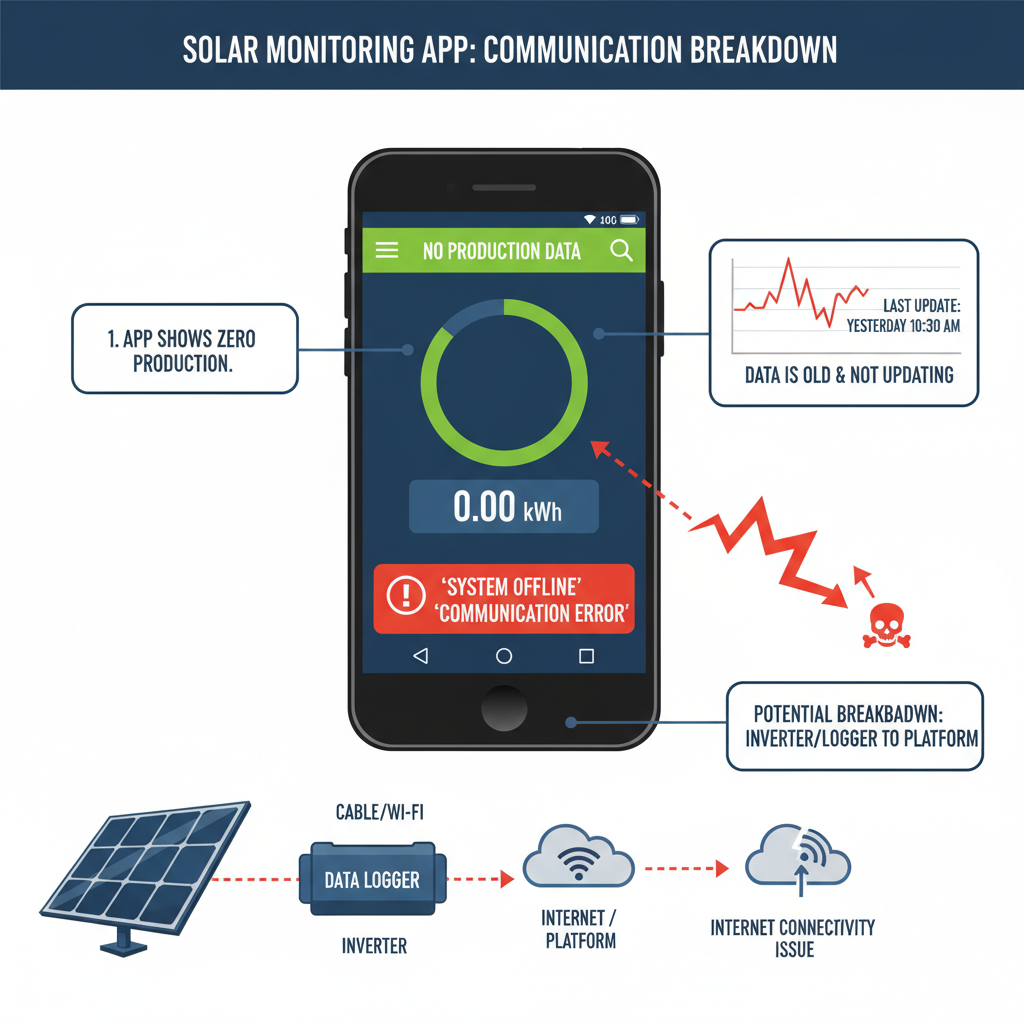
Common Symptoms
Possible Causes
Step-by-Step Diagnosis
Step 1
Check your home internet connection on another device like your phone or laptop.
Step 2
Reboot your internet modem and router. Unplug them, wait 60 seconds, and plug them back in.
Step 3
Go to your solar inverter and check its status lights and display screen for any visible error codes or messages.
Step 4
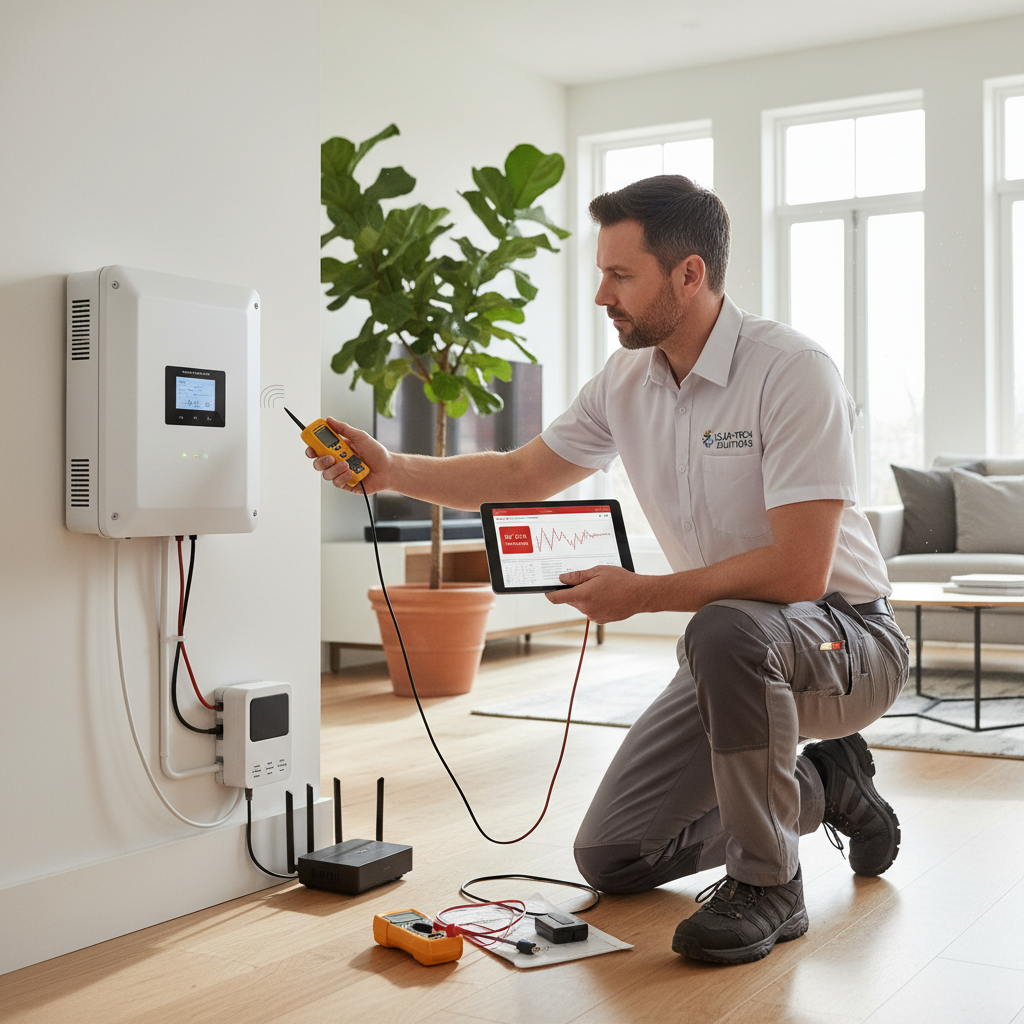
Perform a safe shutdown and reboot of the solar inverter system (AC off, then DC off; wait 5 mins; DC on, then AC on).
Step 5
Inspect all physical cables connected to the inverter or its communication device. Make sure they are secure and undamaged.
Step 6
If an Ethernet cable is used, try swapping it with a known good cable.
Step 7
If you recently changed your Wi-Fi password, follow the manufacturer's specific instructions to update the credentials on your inverter.
Step 8
Check the monitoring company's support website or social media for any announced server outages.
DIY vs Professional Costs
| Repair Type | DIY Cost | Professional Cost | Time Required |
|---|---|---|---|
Reboot Router & Inverter | $0 | $150-300 | 30 minutes |
Replace Ethernet Cable | $10-30 | $150-300 | 10 minutes |
Reconfigure Wi-Fi Credentials | $0 | $150-350 | 15-60 minutes |
Replace failed Data Logger/Comm Card | $150-500 (for the part) | $300-750 | 1-2 hours |
When to Call a Professional Solar
- If rebooting your router and inverter doesn't solve the problem after two attempts.
- The inverter display shows a persistent hardware fault code that won't clear.
- You are not comfortable or confident in safely operating the AC/DC disconnects and breakers.
- The communication issue happens frequently, indicating a potentially failing component.
- You suspect a hardware failure, such as a dead screen on the inverter or visible damage to any components.
Prevention Tips
- Use a wired Ethernet connection to the inverter instead of Wi-Fi for maximum reliability.
- If using Wi-Fi, ensure a strong signal by using a mesh network or a high-quality Wi-Fi extender.
- Check your monitoring app weekly to catch any issues early.
- After changing your Wi-Fi password, immediately update the settings on your solar inverter.
- Protect outdoor communication cables from physical damage or weather exposure.
- After a power outage, give your network equipment 10 minutes to stabilize before worrying about the solar data.
Frequently Asked Questions
Related Guides
Your Solar App is Lying to You? (How to Manually Check Your Solar Production)
Solar monitoring app inaccurate? Your bill is high? A 25+ year tech shows you how to manually check your solar panels and inverter to find the real problem.
Solar battery backup fails to activate or provide electricity to a home during a utility grid outage, leading to a complete loss of power despite a solar-plus-storage system being installed and expected to operate during an outage. Troubleshooting & Fixes (2024 Guide)
Solar battery failed during a power outage? You're not alone. A veteran tech with 25+ years in the field shows you the common causes—from simple tripped breakers to a failed transfer switch—and what you can actually fix yourself.
Solar Panel Damage from Hail or Storms (Troubleshooting & Fixes)
Seeing hail damage on your solar panels or a drop in power? A 25+ year vet explains how to spot the problem, what to do, and when to call a pro.
Solar Monitoring App Not Working: Troubleshooting Communication Errors (2024 Guide)
Solar app not showing data? Get a veteran tech's guide to fixing communication errors yourself. Learn to reboot your system and fix connectivity issues fast.
Solar hot water system not heating water adequately, resulting in lukewarm or cold water. Troubleshooting & Fixes
Solar Inverter Error Code (Troubleshooting & Fixes)
Getting an error code on your solar inverter? A veteran tech with 25+ years of experience shows you how to troubleshoot the issue and figure out if it's a DIY fix or time to call a pro.
Need Professional Help?
Find top-rated solar experts in your area